Working with Fused Images
Multiple datasets can be combined in the same scene to compare images of an object recorded at different times or with different imaging modalities. This fusion of image data can increase the amount of information and accuracy in models.
Fused CT/PET view
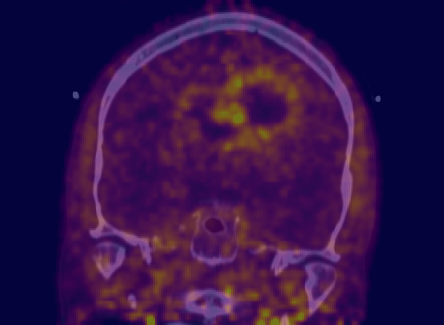
Fused views can be created by simply changing the visibility of your image data in the Data Properties and Settings panel.
Data Properties and Settings panel
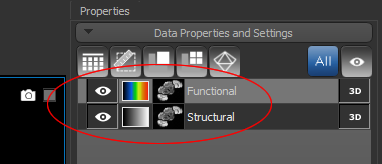
The arrangement of objects in the Data Properties and Settings list determines the order of visibility in a view. Objects at the top of the list are displayed over objects that are lower down (see Object List). You can also change the opacity of images within a fused view, as well as apply color ramps, to improve the visualization of fused images.
 How to Adjust the Opacity of Fused Images
- Select the topmost image data in the Data Properties and Settings panel.
- Do one or more of the following:
- Select a 2D view and then use the Opacity slider in the 2D settings box to adjust the opacity of the selected dataset.
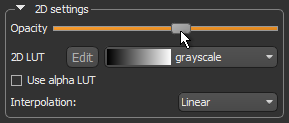
You can also apply an Alpha LUT to better visualize fused datasets in 2D views.
- Select the 3D view and then use the Opacity slider in the 3D settings box to adjust the opacity of the selected dataset.
NOTE You can also adjust opacity in the Opacity Settings dialog (see Opacity Settings).
- Select a 2D view and then use the Opacity slider in the 2D settings box to adjust the opacity of the selected dataset.
How to Apply a Color Ramp to Fused Images
- Select the required dataset in the Data Properties and Settings panel.
- Do one or more of the following:
- Select a 2D view and then choose a color ramp in the 2D LUT drop-down menu.
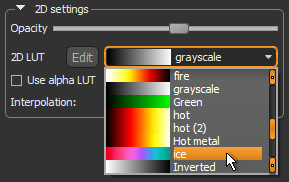
You can also apply an Alpha LUT to better visualize fused datasets in 2D views.
- Select the 3D view and then choose a color ramp in the 3D LUT drop-down menu.
- Select a 2D view and then choose a color ramp in the 2D LUT drop-down menu.